Gradient and shadow density check. Best for laser fuser health and inkjet mid-tone consistency.
Grayscale Test Page
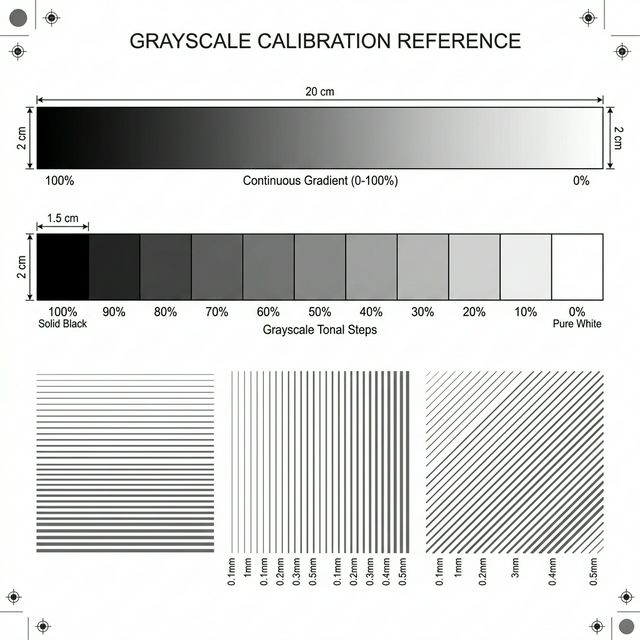
Visual Diagnostic Reference
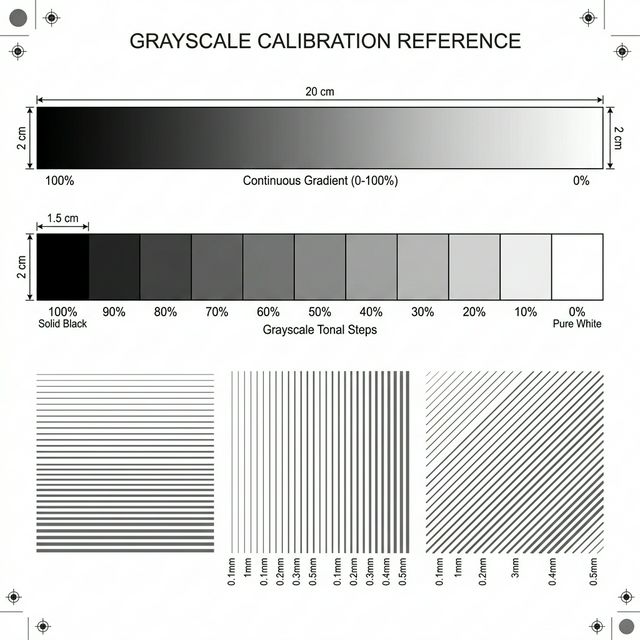
Continuous Tonal Ramp
Look for a totally smooth fade. Any visible vertical "steps" or color tints (green/pink cast) signal a quality problem.
100%
75%
50%
25%
5%
Grayscale Test Page: How to read your result
TEST PURPOSE
<li><strong>Step Gradients:</strong> Verify that each of the 5-10 bars of grey is distinct from its neighbor.</li> <li><strong>Surface Noise:</strong> Check for 'snow' or random white dots within the solid grey blocks.</li> <li><strong>Density Sweep:</strong> Ensure the 100% black bar is deep and solid without 'mottling'.</li>
EXPECTED RESULT
You should see a smooth, even transition from pure white to deep black. Each block should have a uniform density across its entire width.
ISSUE SIGNALS
<strong>Banding:</strong> Repeating horizontal lines indicate a timing or nozzle flow problem. <strong>Patchy Shading:</strong> Uneven coloring within a block suggests a failing laser drum or transfer roller.
SUGGESTED ACTION
If your grey blocks look 'pixelated' or grainy, see our <a href='/symptom/grainy-spotty-prints/'>Grainy Prints Guide</a>. If you see repeating white lines, see <a href='/symptom/banding-lines-across-page/'>Banding Support</a>.
Free and technical-first printer troubleshooting.
How We Test