High-fidelity CMYK and RGB calibration tool. Best for spotting color casts, ink contamination, and photo quality issues.
Colour Printer Test Page
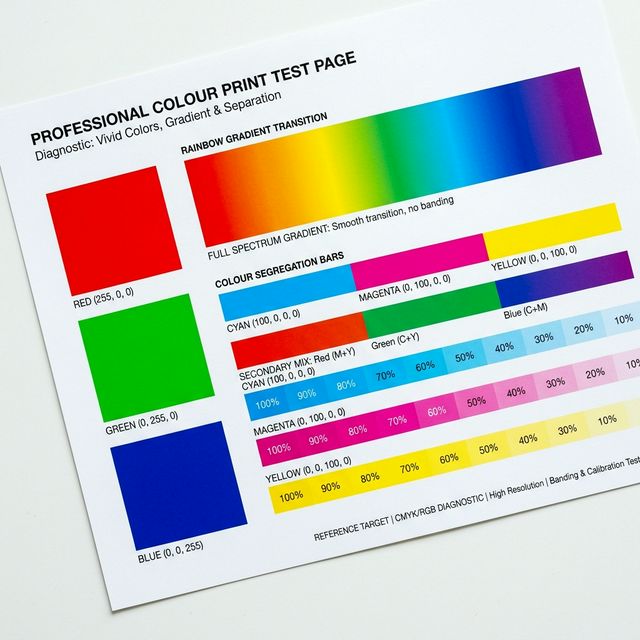
Visual Diagnostic Reference
Red Check
Green Check
Blue Check
Gradient Uniformity
Colors should appear vivid, balanced, and free of banding or bleeding. Dull output may indicate clogged nozzles or an incorrect stock setting.
Colour Printer Test Page: How to read your result
TEST PURPOSE
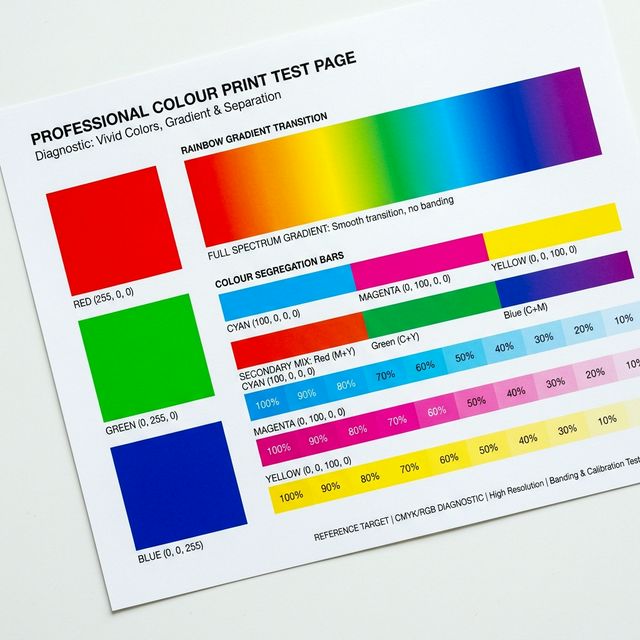
Evaluates secondary color mixing (Green, Orange, Violet) and gradient smoothness across the full print spectrum.
EXPECTED RESULT
Vibrant, saturated colors with smooth transitions and no sudden color shifts or "mottled" patterns.
ISSUE SIGNALS
Incorrect hues (e.g. blues looking purple), grainy texture in light colors, or visible stripes through the blocks.
SUGGESTED ACTION
If colors look wrong but the CMYK test was solid, your issue is likely a "Color Management" setting or a profile mismatch in your software driver.
Free and technical-first printer troubleshooting.
How We Test