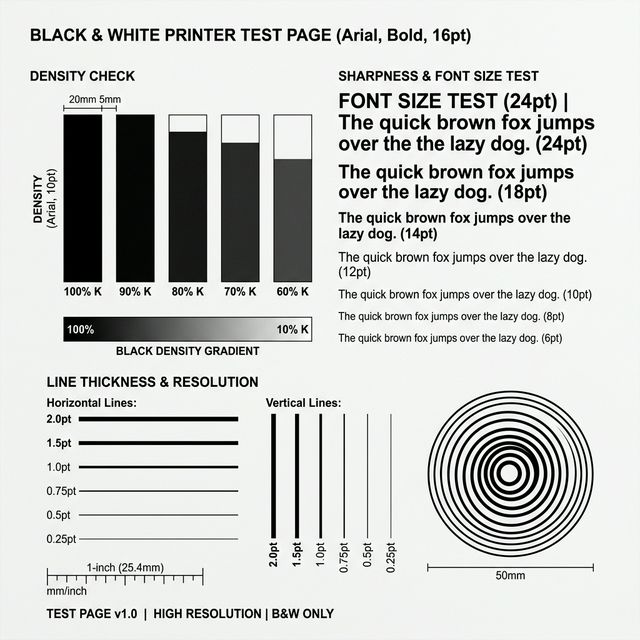
Black & White Printer Test Page (Standard)
Standardized A4 grayscale pattern. Best for diagnosing horizontal banding, low toner, and basic text legibility.

Ready to Print Your Test Page?

Problems printing? Download PDF instead

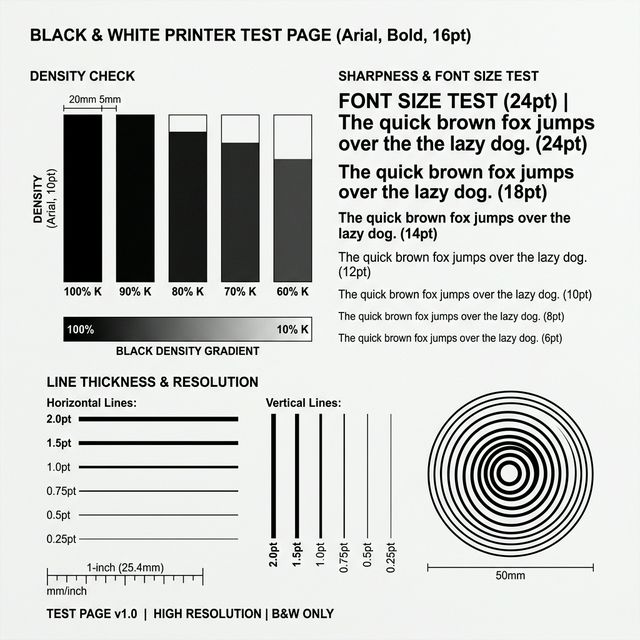
Black & White Printer Test Page (Standard) reference preview showing expected print quality patterns.
Reference Preview: Use this black & white printer test page (standard) image to compare with your physical print result.

Visual Diagnostic Reference

Standard Black and White Printer Test Page Reference
Density Check

Should be deep black, no white streaks.

Abc Def Ghi
Sharpness Check

Edges should be crisp without shadows.

Line Consistency

Lines must be unbroken and straight.

DIAGNOSTIC_ANALYSIS

Black & White Printer Test Page (Standard): How to read your result

TEST PURPOSE

Evaluates black-only text clarity, greyscale density, and fuser-bonding performance on plain A4 stock.

EXPECTED RESULT

Solid, deep black coverage with no horizontal white gaps or grey trailing marks.

ISSUE SIGNALS

Faint/washed-out text, horizontal white streaks (clogging), or toner that rubs off when touched (fuser failure).

SUGGESTED ACTION

If you see white lines, run one nozzle cleaning. If the black is uniform but light, check for "Eco/Draft" mode settings.

How to Interpret Your Black & White Result

A black-and-white test is your highest-signal diagnostic. Because it bypasses complex color conversion, it tells you exactly how the primary print engine is behaving. If this page fails, every other color job will likely fail too.

Deep Dive: Toner Fixation

If the black text looks perfect but smudges when you run your finger over it, your printer’s fuser is not reaching the correct temperature. This is often a “Media Type” mismatch—ensure your settings are set to the correct paper weight.

Free and technical-first printer troubleshooting. How We Test

Still having trouble?

If a test page doesn't resolve the issue, we have deeper diagnostic steps for your specific hardware.